How to Order on WhatsApp at Ocean Computers — Complete Guide
16 Nov 2026
Ordering at Ocean Computers is done fully on WhatsApp — there is no account to make, no checkout form and no card needed on this website. You pick a product, tap one button, and the whole order happens inside one simple WhatsApp chat. This guide shows every step, in easy words, from finding your product to the parcel reaching your door.
The whole thing takes only a few minutes. And if you get stuck at any step, just send us a message in the same chat — a real person replies and helps you.
Step 1 — Pick your product
Start on the shop page, where every product is listed with its price in PKR. You can browse gaming headsets, gaming mice, keyboards, gaming chairs and accessories, or open a category to narrow the list. Every price is shown openly on the product card, so you know the cost before you even ask.
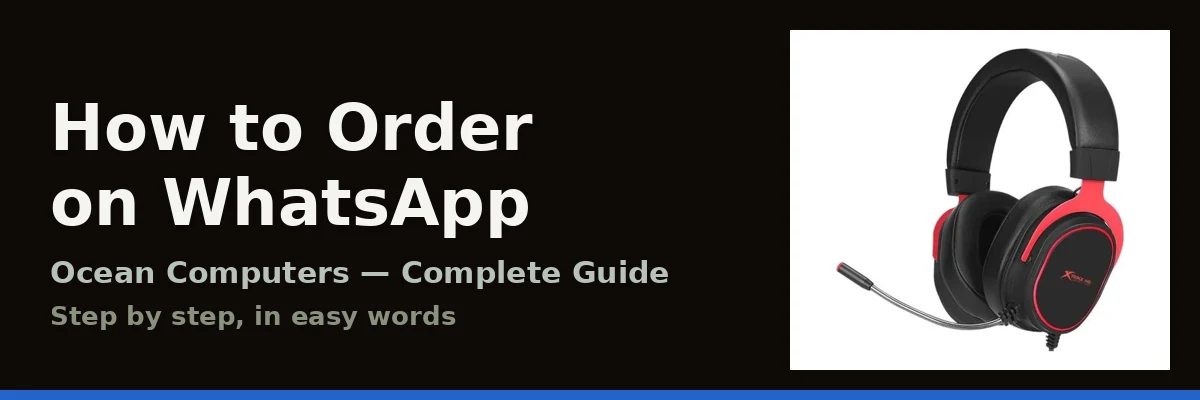
Open the product you like. On its page you will find clear photos from every angle, the full specifications, and the price. For example, the Xtrike Me GH-519 Gaming Headset with Mic shows its 50mm drivers, flexible microphone and LED lights — and exactly what it costs. If a detail matters to you, check the specifications on the page first; if anything is still unclear, you can simply ask us in the chat in the next step.
Step 2 — Tap the Order on WhatsApp button
On every product page there is an Order on WhatsApp button. Tap it, and WhatsApp opens with a ready-written message that already includes the product name — you do not have to type or explain anything. Just press send.
You can also start from the contact page or the WhatsApp button at the bottom of any page. Whichever way you start, you land in the same chat with our team.
Step 3 — Confirm the price and availability
We reply in the chat with the product's confirmed price and availability. Prices on the website are kept current, and the price confirmed with you in the chat is the price that applies to your order — nothing changes after that.
Tell us your city in the same chat. We will confirm the delivery time and the delivery charges for your order before you pay anything, so the full total is clear in advance — no surprises later.
Step 4 — Share your delivery details
Happy with the price? Confirm your order in the chat and share three things: your name, your phone number, and your complete delivery address. That is all we need. These details are used only to deliver your parcel — you can read exactly how in our privacy policy.
Step 5 — Payment and dispatch
Once your order is confirmed, the payment details are shared with you in the same WhatsApp chat. After payment, your parcel is packed and dispatched, and we stay available on that same thread — if you have any question while your parcel is on its way, just reply there.
When your parcel arrives
Please check your parcel when it arrives. If the wrong item has come, or something is damaged, message us on WhatsApp the same day with a photo of what you received and your order details. We will look into it and sort it out with you — the same promise is written in our terms, and the support page explains how to reach us for any order problem.
Tips for a faster order
Three small things make your order quicker and easier:
- Send the product name — or a screenshot of its page — with your first message, so we know exactly which product you mean.
- Ask every question before you confirm your order; there is no hurry and no pressure to buy.
- Keep the whole order in one chat — price, delivery, payment and support all stay in one place, which makes everything faster for you and for us.
That is the whole process — five simple steps, all on WhatsApp. Ready? Browse all products and pick your first one.
The 5 steps at a glance
| Step | What you do | What happens next |
|---|---|---|
| 1 | Pick a product on the website | You see the price and the full details |
| 2 | Tap Order on WhatsApp | A ready message with the product name opens |
| 3 | Confirm price and availability | We confirm the full total, including delivery |
| 4 | Share your name, phone number and address | Your order is booked for delivery |
| 5 | Pay using the details shared in the chat | Your parcel is packed and dispatched |
Frequently asked questions
Do I need an account to order?
No. There is no account, no sign-up and no checkout on this website. Your whole order happens in one WhatsApp chat.
How do I pay for my order?
Once you confirm your order in the chat, the payment details are shared with you there. Nothing is charged before your order is confirmed with you.
How long does delivery take?
It depends on your city. The expected delivery time and the delivery charges for your order are confirmed with you on WhatsApp before you pay, so everything is clear in advance.
Can I order a product that is not on the website?
You can ask. Message us on WhatsApp with the product name — if we can arrange it, we will confirm the price and availability in the chat.
What if there is a problem with my order?
Message us on WhatsApp with your order details — and a photo if something arrived damaged — and we will sort it out with you. The support page explains more.